How to Request a Final Review
The AWS Marketplace integration specification changed in June 2026. Because this feature (listing on AWS Marketplace) does not yet support the new specification, listing can no longer be completed with this procedure, and new usage has been suspended.
We will let you know the timing of resumption once a plan to support the new specification is in place.
For the latest listing process and procedures, please refer to our new service guide site (https://docs.deshima.cloud).
Once you have completed the exhibition steps '10. Confirmation of integration with AWS Marketplace', you can request a final review from the AWS Marketplace support team.
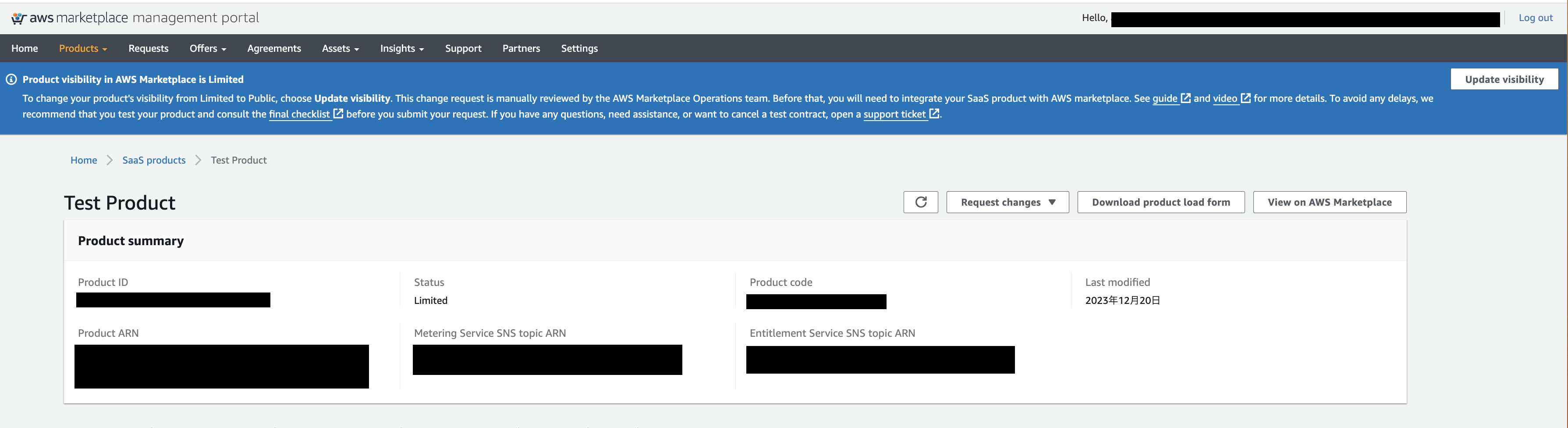
First, access the AWS Marketplace Management Portal and open the product detail page you want to manage.
Then click on Update visibility located on the right of the alert displayed at the top of the page.
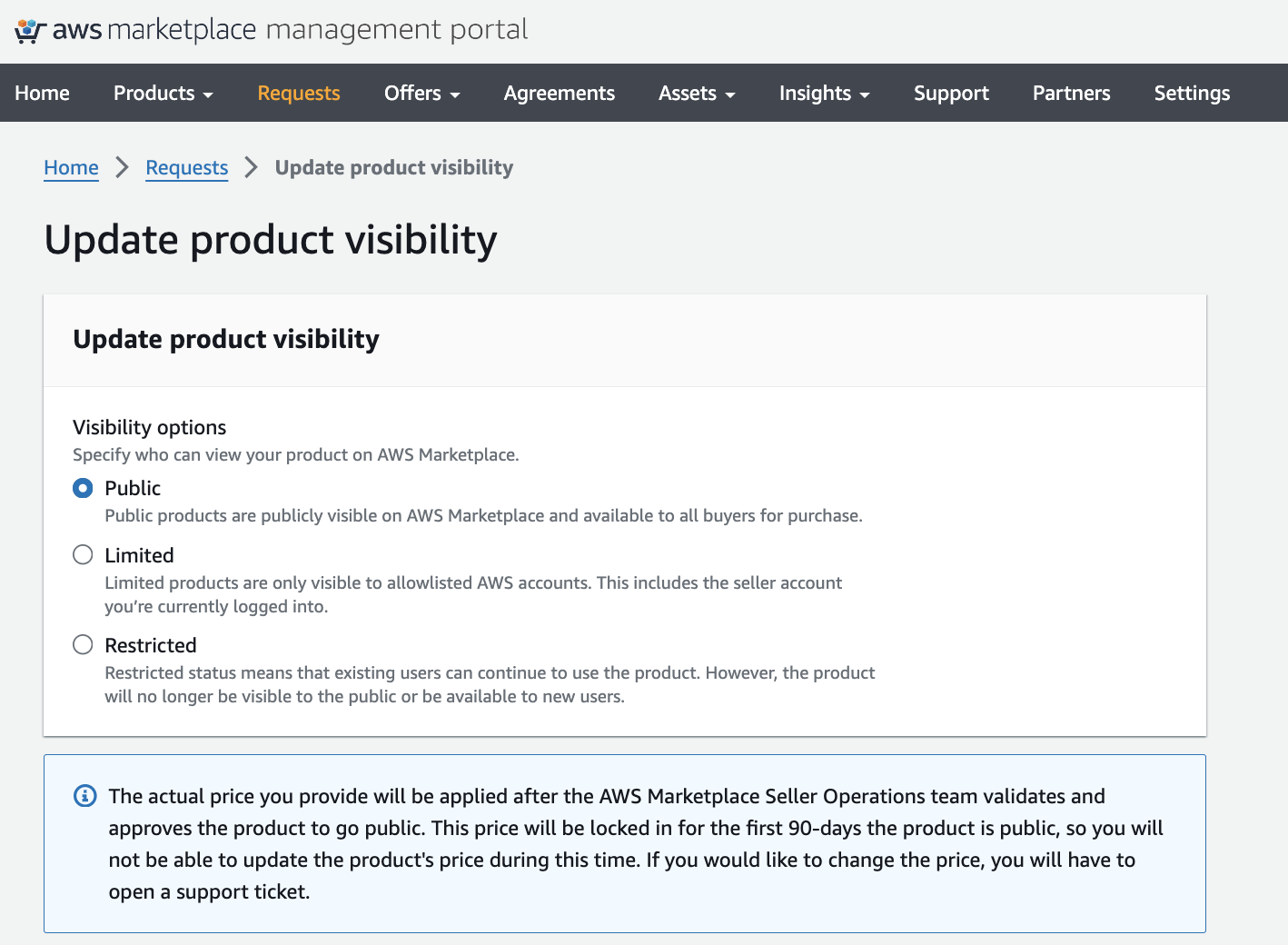
After the transition, set the Visibility options to public.
An additional form to enter the contract amount will be displayed. After entering the correct amount, click Submit.
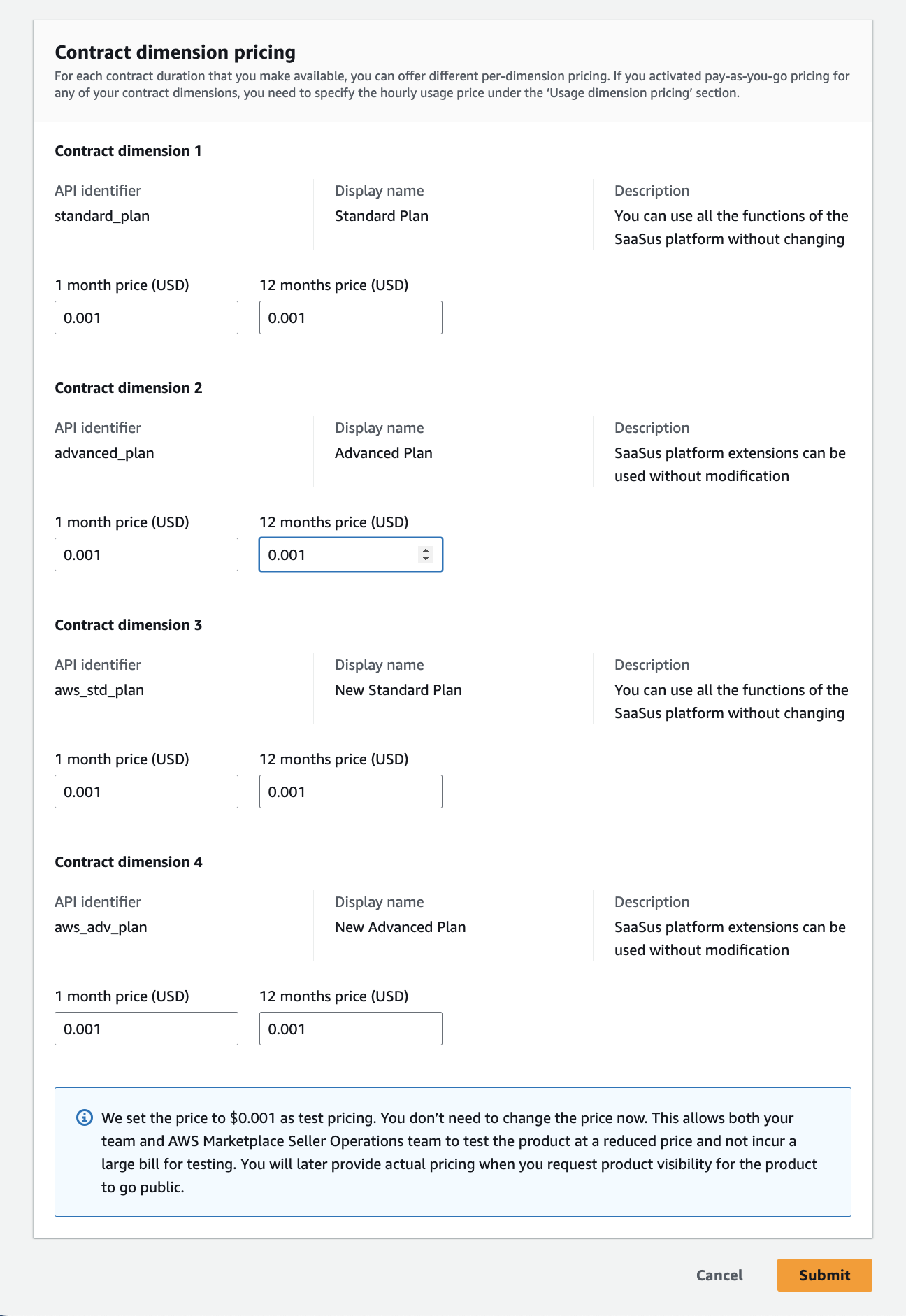
That's all you need to do to request a final review.
📘 Note
The AWS Marketplace Seller Operations team will verify and publish the product. It will be published in about 7 to 10 business days. For more information, click here