How to Request for Publication
The AWS Marketplace integration specification changed in June 2026. Because this feature (listing on AWS Marketplace) does not yet support the new specification, listing can no longer be completed with this procedure, and new usage has been suspended.
We will let you know the timing of resumption once a plan to support the new specification is in place.
For the latest listing process and procedures, please refer to our new service guide site (https://docs.deshima.cloud).
Once you've completed the Listing Procedure "11. Final Review Request of Production SaaS Product", you will receive an email from the AWS Marketplace Support Team detailing the process to request publication. Follow these instructions to request your publication.
While we have prepared a document regarding the publication request process based on our prior research, the actual instructions provided in the email you'll receive represent the most updated procedure and should be followed accordingly.
First, you need to make a publication request in the AWS Marketplace Management Portal.
- Access the AWS Marketplace Management Portal
- After moving to the 'Requests' page, select the request for the SaaS product you want to publish.
- If the product is ready for a publication request, a page with the title 'Review your Product Listing' will be displayed.
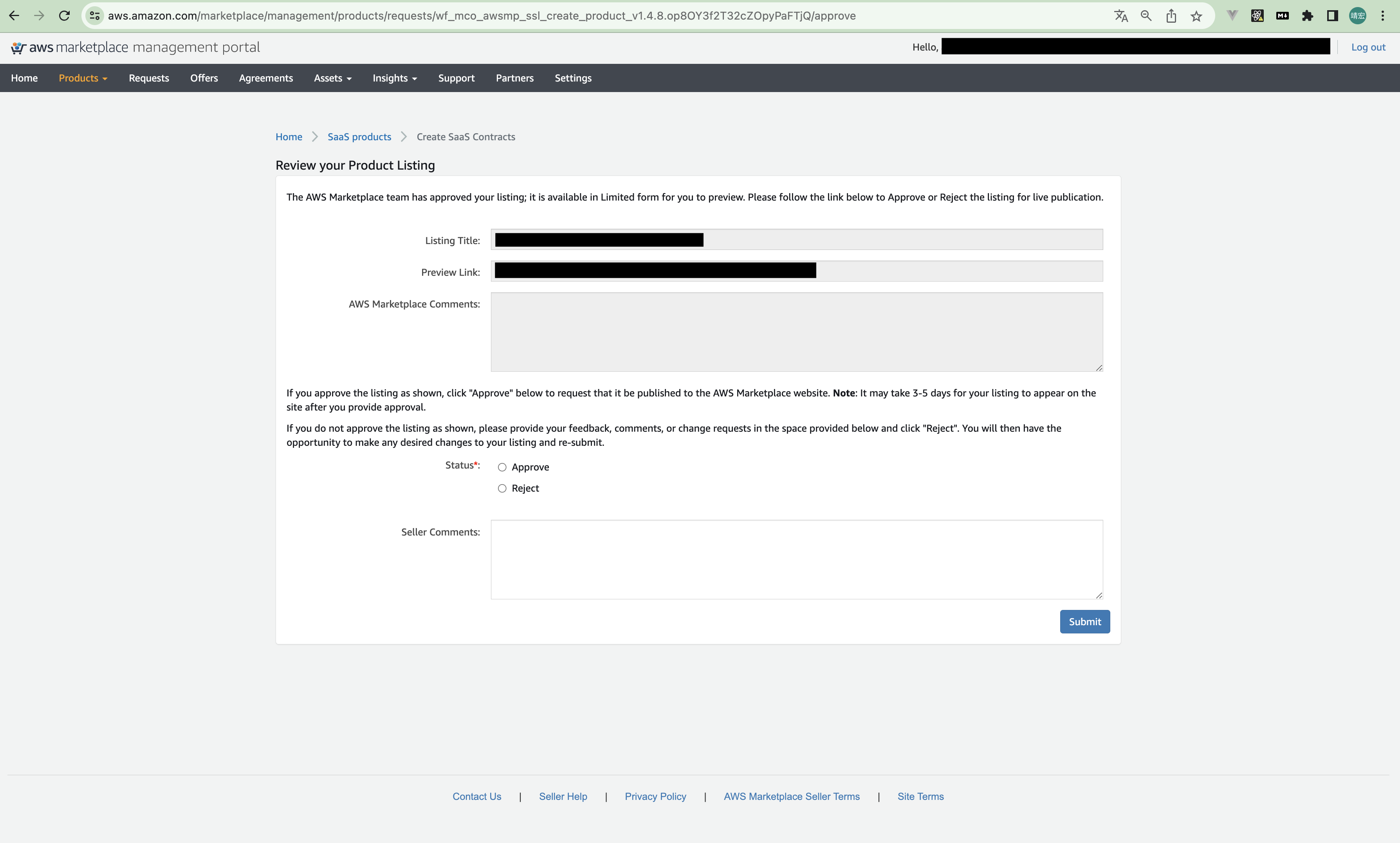
- Select 'Approve' for the status, and click the 'Submit' button.
That's it! You've completed the publication request.
Finally, reply to the "Action Required: AWS Marketplace SaaS Contract Next Steps [ thread::XXXXXXXXXX:: ]" email by writing a message in English that says "Please publish the SaaS product". Once you've replied, your publication request is complete.
With this process, your SaaS product will be published on the AWS Marketplace by the Support Team within 3 to 5 business days.