Getting Started with Registration - Generating Product Code
The AWS Marketplace integration specification changed in June 2026. Because this feature (listing on AWS Marketplace) does not yet support the new specification, listing can no longer be completed with this procedure, and new usage has been suspended.
We will let you know the timing of resumption once a plan to support the new specification is in place.
For the latest listing process and procedures, please refer to our new service guide site (https://docs.deshima.cloud).
To register SaaS product information, first access the AWS Marketplace Management Portal, and then proceed with registration as follows.
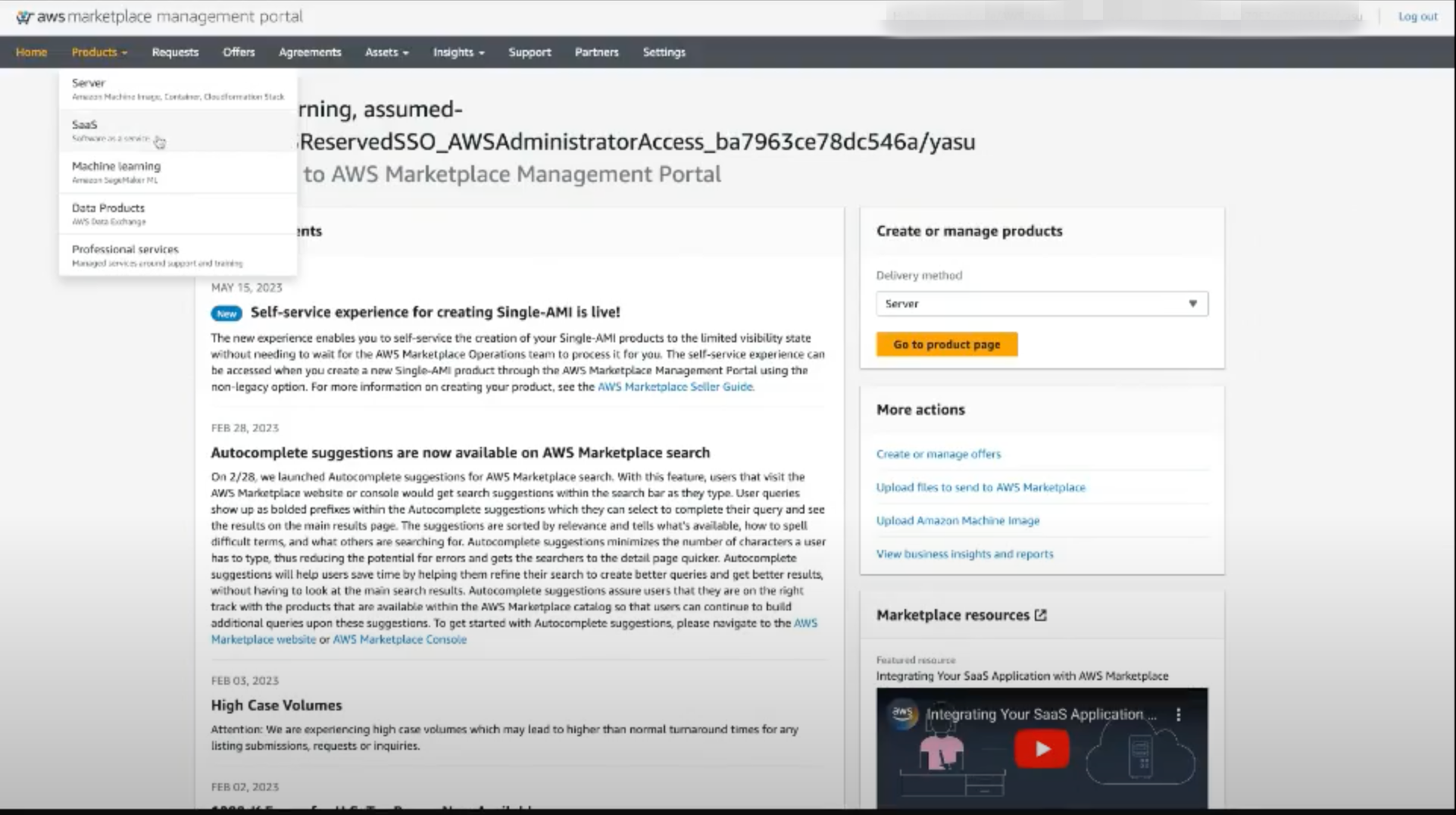
On the AWS Marketplace Management Portal, select SaaS from the Product menu.
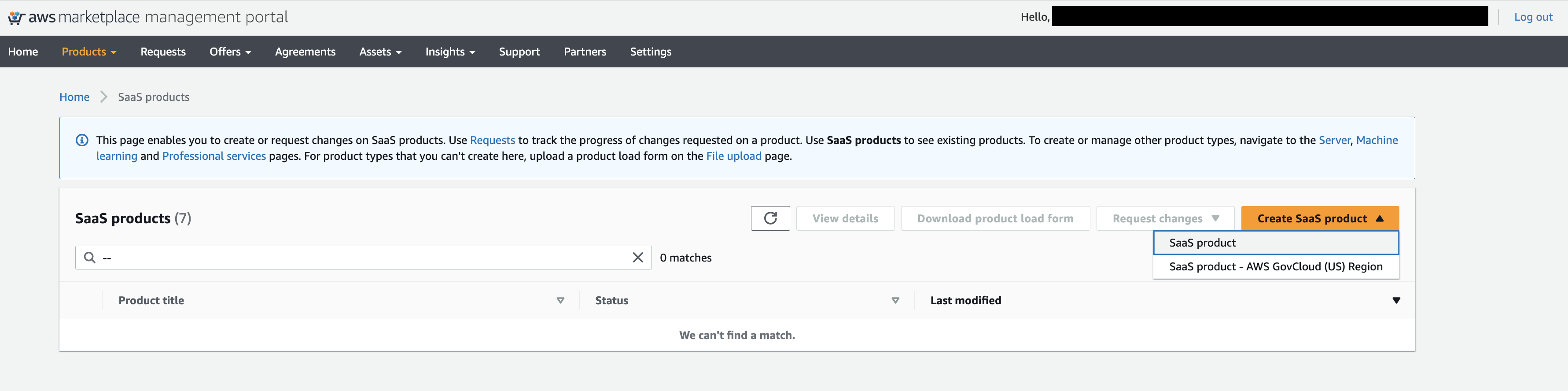
After transition, select SaaS product from the Create SaaS product button located on the right side of the screen.
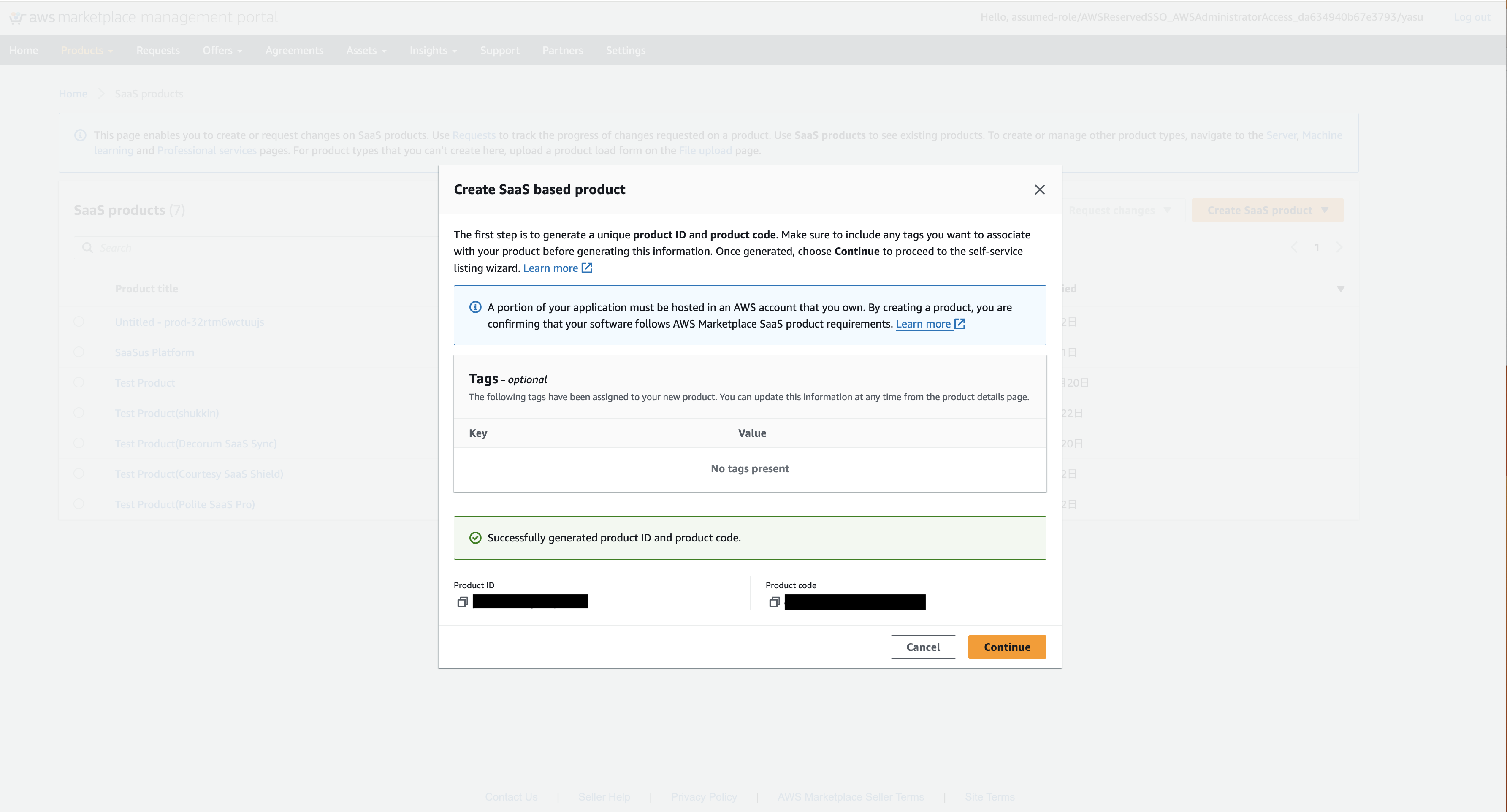
When a dialog box appears to confirm the generation of the product ID and product code, press Generate product ID and product code.

After about 10 seconds, the product ID and product code are generated, and the Continue button becomes active, so press it to move to the next step.