Step 2: Configure Fulfillment Options
The AWS Marketplace integration specification changed in June 2026. Because this feature (listing on AWS Marketplace) does not yet support the new specification, listing can no longer be completed with this procedure, and new usage has been suspended.
We will let you know the timing of resumption once a plan to support the new specification is in place.
For the latest listing process and procedures, please refer to our new service guide site (https://docs.deshima.cloud).
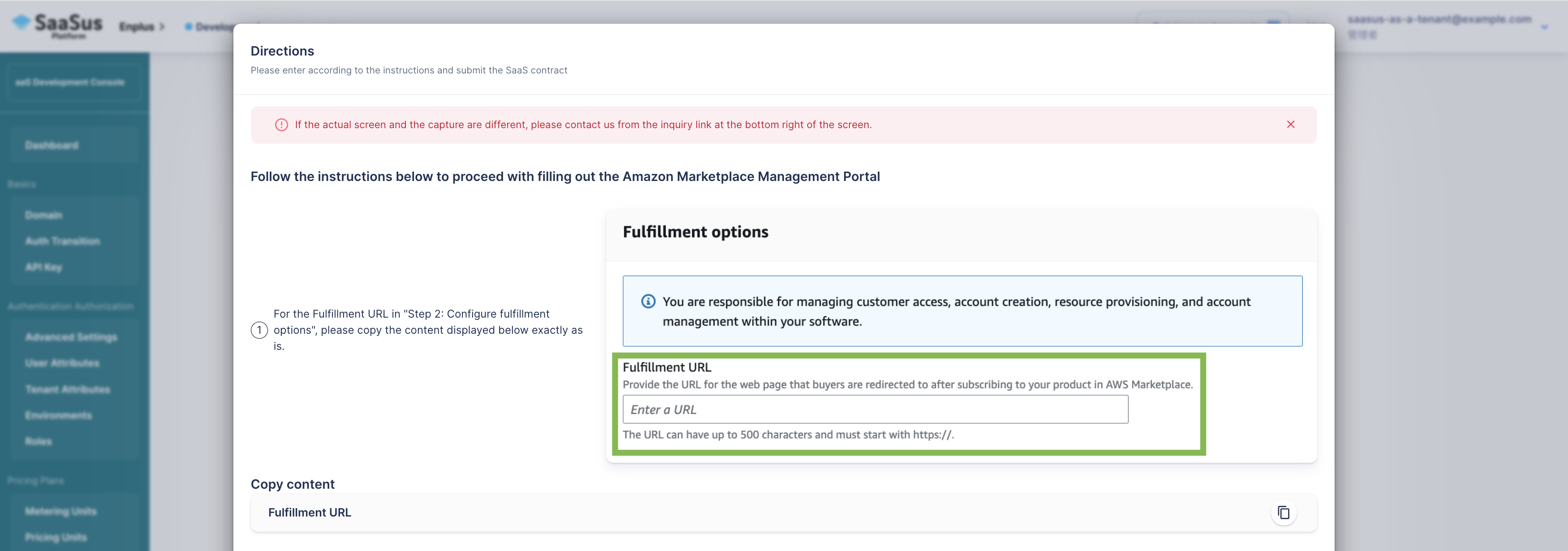
Next, enter the URL to which customers will be redirected upon purchasing the product on the AWS Marketplace.
The URL to be entered is displayed in the instruction sheet output by the SaaSus Platform's AWS Marketplace integration function, please copy and paste it into the Fulfillment URL input area.
Please be sure to follow the instructions on the sheet.
You can access the instruction sheet by starting the listing process from the AWS Marketplace integration function page, and proceed to Step 1-4: Registering SaaS product information.
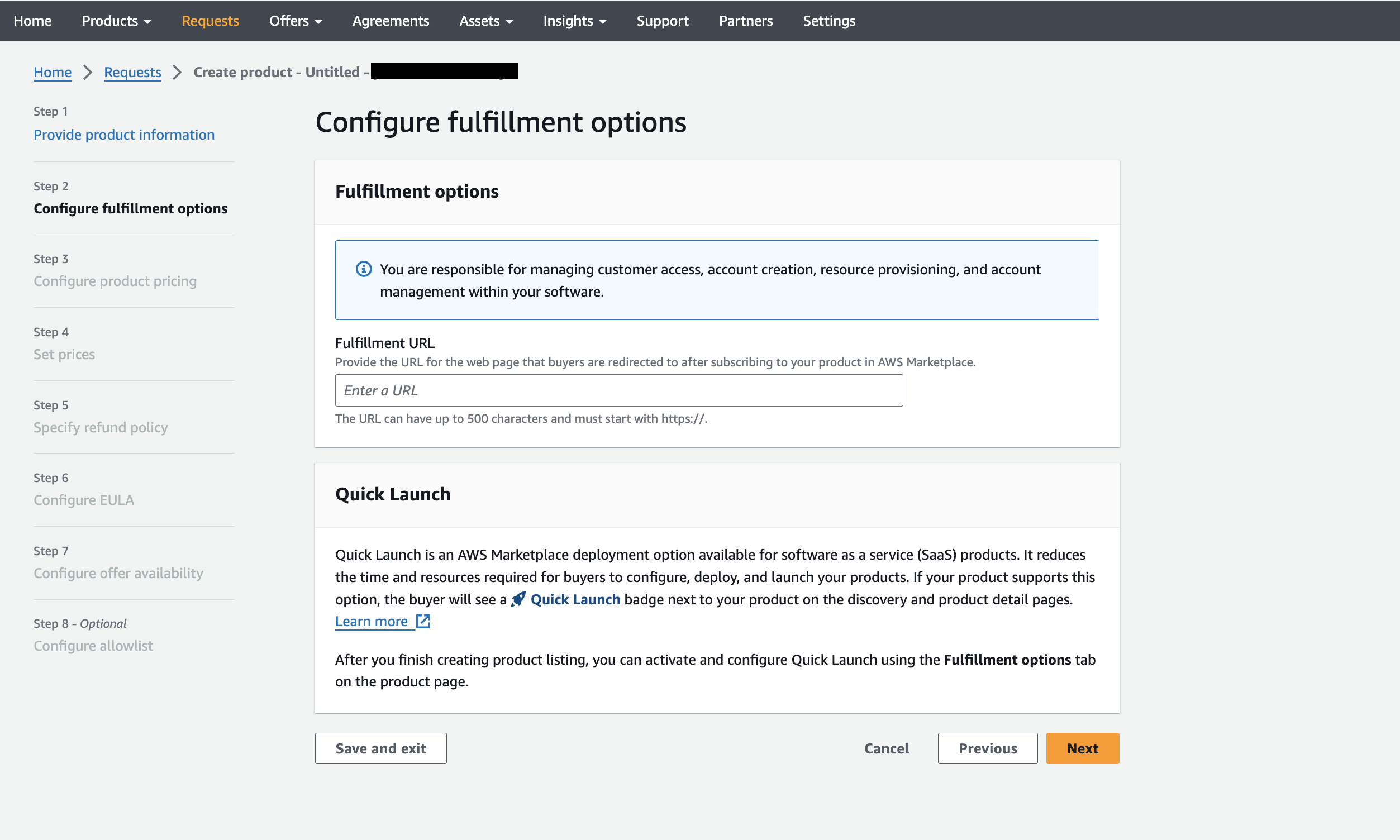 After completing the input, press
 Next to proceed.